How headings improve on page SEO and crawlability is one of the most underrated topics in web content strategy. Many content creators obsess over keyword density, backlinks, and meta descriptions while ignoring the structural backbone of their pages. Headings do far more than break up text visually.
They communicate topical relevance to search engines, guide screen readers through content, and create a logical map that crawlers use to index your pages efficiently. If your heading hierarchy is broken or missing, you're leaving ranking potential on the table. This guide walks you through four actionable steps to fix that, with specific techniques you can apply today.
Key Takeaways
- Proper heading structure directly influences how search engines understand and rank your content.
- Every page needs exactly one H1 tag that includes your primary keyword.
- Skipping heading levels (H2 to H4) confuses crawlers and hurts accessibility scores.
- Descriptive, keyword-rich headings outperform generic labels like "Introduction" or "Details."
- Tools like Heading Checker can audit your heading hierarchy in seconds before publishing.
Step 1: Understand How Headings Improve On Page SEO and Crawlability
What Crawlers Actually See
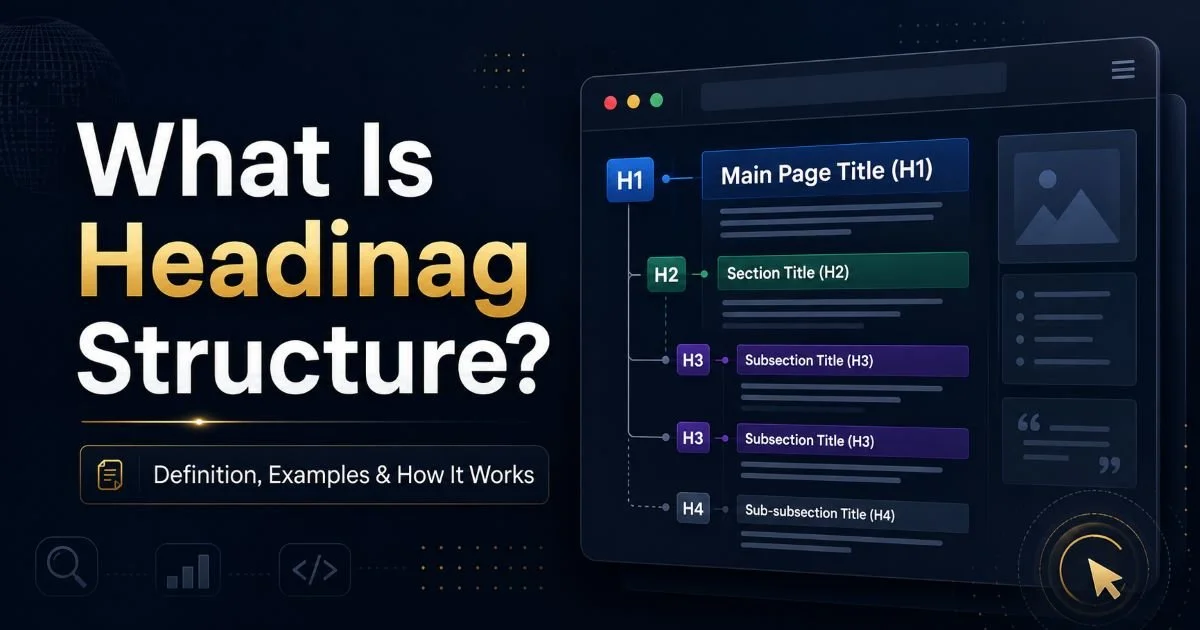
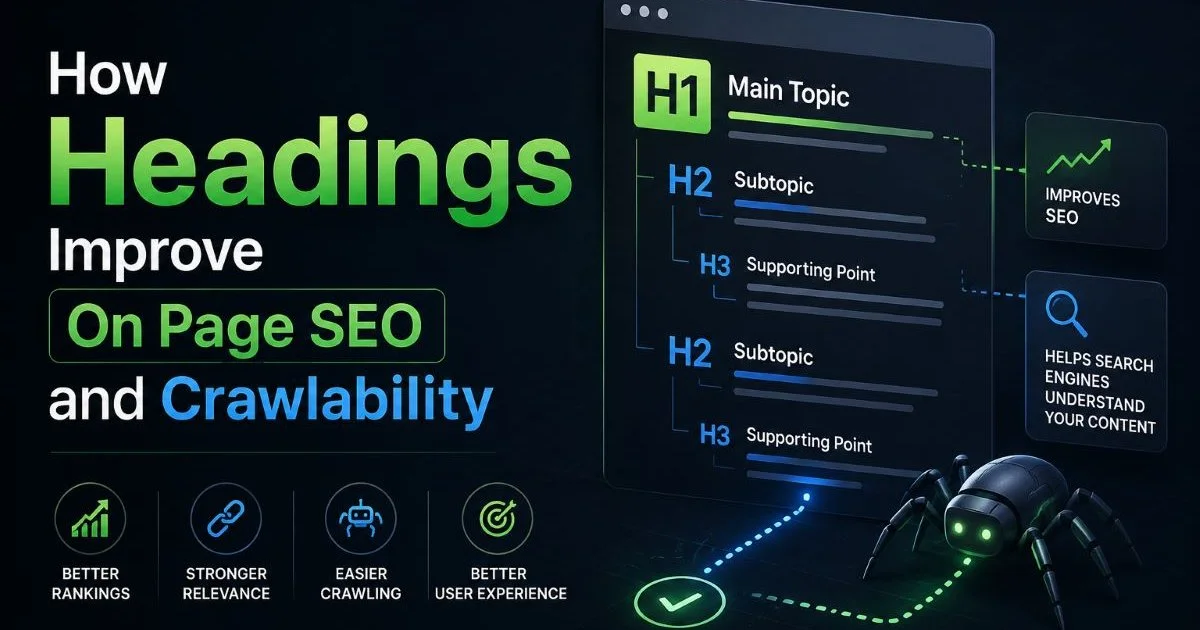
Search engine crawlers don't see your page the way a human reader does. They parse the HTML document tree, and heading tags (H1 through H6) act as signposts within that tree. When Googlebot encounters an H2 tag, it interprets the text inside as a major topic within the page. This interpretation directly shapes how Google categorizes and indexes your content. If you want a deeper understanding of what heading structure is and how it works, that foundation will help everything else click into place.
Crawlers also use heading structure to determine content depth. A page with a single H1, three H2s, and supporting H3s signals a well-organized, comprehensive resource. A page with five H1 tags and no H2s looks chaotic and unfocused. Google's John Mueller has confirmed that headings help Google understand the structure of text on a page, even though they aren't a direct ranking "signal" in the traditional sense. The structural clarity they provide still influences rankings indirectly.
The User Experience Factor
Headings aren't just for bots. Users scan pages before committing to read them. Research from the Nielsen Norman Group shows that 79% of web users scan rather than read word-by-word. Descriptive headings let scanners quickly find the section that answers their question, reducing bounce rates and increasing time on page. Both of those behavioral signals feed back into how search engines evaluate content quality.
Write each heading as if it were a standalone table of contents entry. If someone only read your headings, they should understand the full scope of the article.
Accessibility also plays a role here. Screen readers navigate by heading tags, jumping from H2 to H2 and drilling into H3s when a section seems relevant. Broken heading order, like jumping from H2 to H4, creates a confusing experience for visually impaired users. Google increasingly factors accessibility into its quality assessments, so fixing heading order benefits both your audience and your rankings.
Step 2: Build a Logical Heading Hierarchy from H1 to H6
Choosing the Right Heading Level
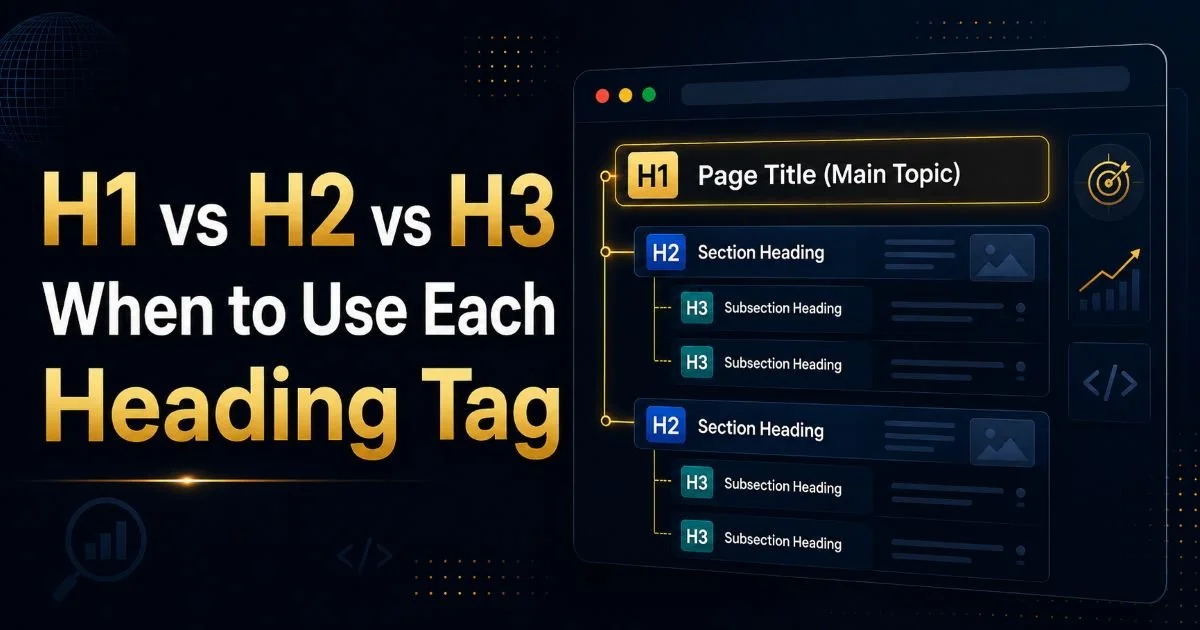
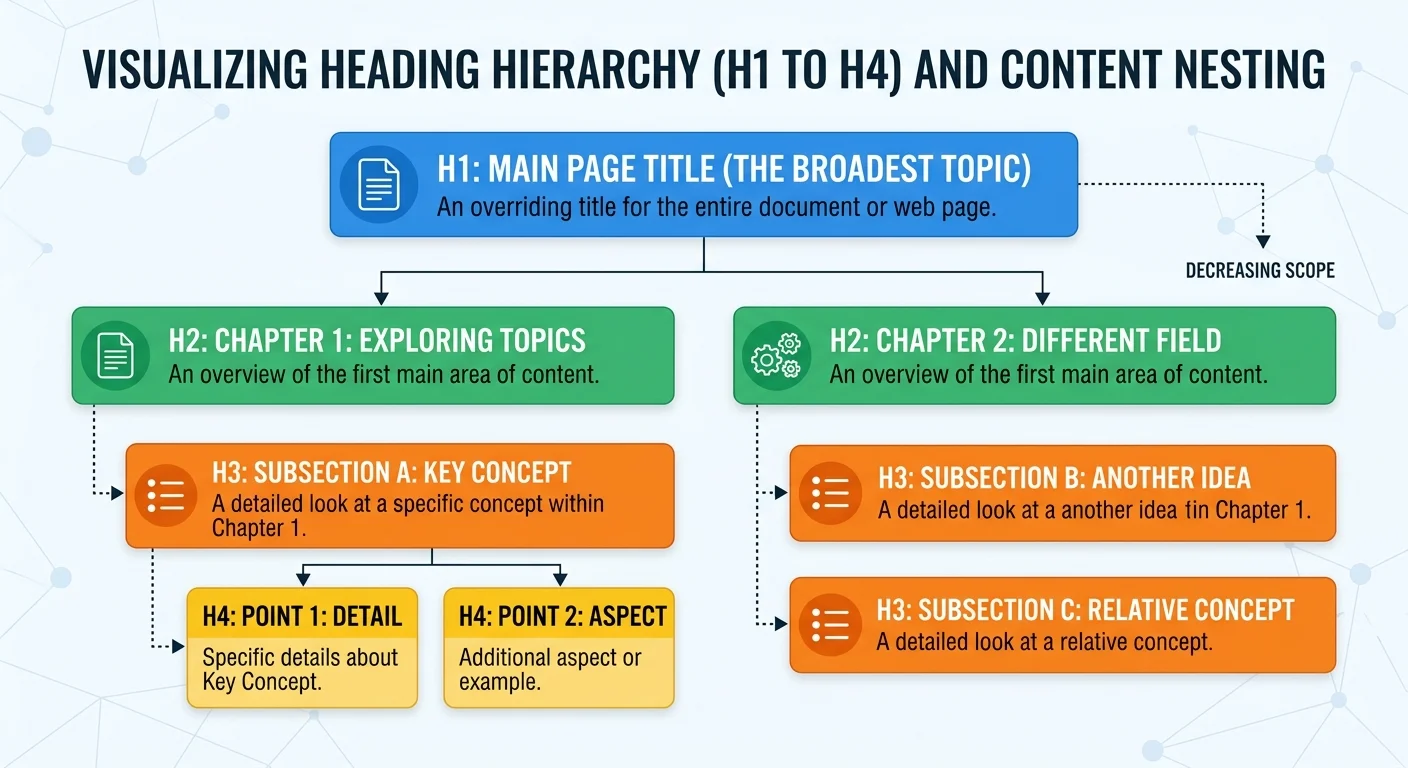
Your H1 is the title of the page. Every page should have exactly one H1 tag, and it should include your primary keyword or a close variation. If you're writing a blog post about kitchen renovation costs, your H1 might be "Kitchen Renovation Costs: A Complete 2024 Breakdown." The H1 sets the top-level topic. Everything else on the page should nest underneath it logically. For a practical breakdown of when to use H1 vs H2 vs H3 tags, that reference covers the decision-making process in detail.
H2 tags represent your main sections, the primary subtopics that support the H1. Under each H2, use H3 tags for supporting points. Think of it like an outline: H1 is the thesis, H2s are chapter titles, and H3s are sub-sections within those chapters. You rarely need H4 through H6 in standard blog content, but they exist for deeply nested technical documentation or FAQs.
| Tag | Purpose | Usage per Page | Example |
|---|---|---|---|
| H1 | Page title / main topic | Exactly 1 | "Complete Guide to Email Marketing" |
| H2 | Major sections | 3 to 8 | "Building Your Email List" |
| H3 | Subsections within H2 | 2 to 4 per H2 | "Lead Magnet Strategies" |
| H4 | Granular detail | As needed | "PDF vs Video Lead Magnets" |
| H5/H6 | Deep nesting (rare) | Rarely used | "Video Hosting Options" |
Common Hierarchy Mistakes
The most frequent mistake is skipping heading levels. Going from an H2 directly to an H4 creates a gap in the document outline that confuses both crawlers and assistive technology. Another common error is using heading tags for styling purposes, making text bigger or bolder without any semantic intent. If you need larger text for a callout box, use CSS instead of an H3. For a full list of heading hierarchy mistakes that hurt your SEO, review those patterns and check your existing content against them.
Never use more than one H1 tag per page. Multiple H1s dilute your topical focus and send conflicting signals to search engines about what the page is actually about.
Duplicate headings also cause problems. If three sections on the same page all use the H2 "Benefits," crawlers can't differentiate between them. Each heading should be unique and descriptive. Instead of "Benefits," write "Benefits of Drip Campaigns" or "Benefits of Segmentation." Specificity helps crawlers assign the right topical weight to each section of your content.
Step 3: Write Headings That Serve Both Readers and Search Engines
Keyword Placement in Headings
Including relevant keywords in your headings is an SEO optimization best practice, but it requires a light touch. Your H1 should contain your primary keyword naturally. Your H2s should include secondary keywords or related phrases where they fit organically. Forcing "best affordable running shoes for flat feet marathon training" into an H2 reads terribly and could trigger keyword stuffing penalties. Write for humans first, then verify the keywords are present.
A good test is reading your heading aloud. If it sounds like something a person would actually say or search for, you're on the right track. Google's natural language processing has advanced significantly, so exact-match keywords in headings matter less than they did five years ago. Semantic relevance carries more weight now. The way AI-driven SEO differs from standard SEO practices reinforces this shift toward meaning over exact keyword matching.
"A heading that reads naturally to a human will almost always perform better than one stuffed with keywords for a crawler."
Formatting Headings for Featured Snippets
Featured snippets frequently pull from well-structured heading and paragraph combinations. Google often selects content where a question-based H2 is immediately followed by a concise, direct answer in the first sentence of the paragraph below it. For example, an H2 reading "What Is a Canonical Tag?" followed by a clear 40-word definition has a strong chance of winning a snippet. This technique works especially well for informational queries.
List-based snippets also rely heavily on heading structure. If your H2 is "Steps to Improve Page Speed" and your H3s underneath are "Compress Images," "Minify CSS," and "Enable Caching," Google can pull those H3s directly into a featured list snippet. This formatting strategy for your SEO headings gives you visibility above the traditional first organic result. Following SEO heading structure tips for blog posts will sharpen this approach considerably.
Featured snippet formatting only works when the surrounding content is also high-quality. A perfect heading structure on thin content won't win snippets.
Step 4: Audit and Fix Heading Issues Before Publishing
What to Look For in an Audit
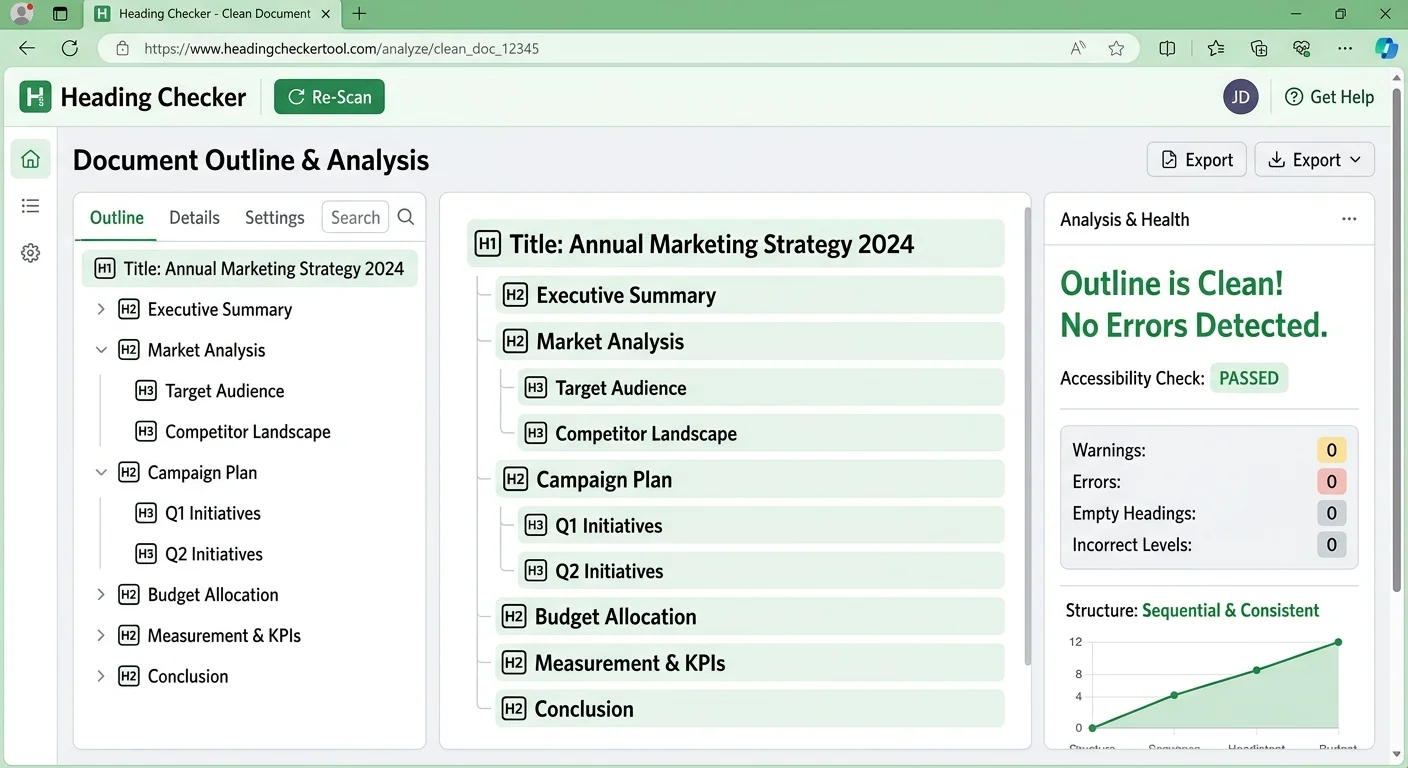
Before hitting publish, run through a quick heading audit. Check that your page has exactly one H1. Verify that heading levels descend sequentially without skipping (H1, H2, H3, not H1, H3, H2). Confirm that each heading is unique and descriptive. Look for headings that are excessively long; anything over 70 characters becomes unwieldy in both the document outline and search results. These checks take minutes but prevent structural problems that can persist for months.
You should also check whether your headings accurately reflect the content beneath them. A heading that promises "5 Free Tools for Keyword Research" but delivers only three tools (plus two paid ones) creates a trust gap with readers and may increase bounce rates. Accuracy in headings isn't just good writing; it's an SEO optimization practice that reinforces content quality signals for search engines.
Automating Heading Checks
Manual auditing works for individual posts, but it doesn't scale. If you manage a blog with hundreds of articles, you need automated tools. The Heading Checker tool can scan your page structure and flag issues like missing H1 tags, skipped levels, and duplicate headings instantly. Running this check before every publish cycle prevents structural SEO problems from accumulating across your site.
Add heading structure checks to your editorial workflow checklist, right alongside grammar review and image optimization. Consistency beats occasional perfection.
For larger operations, integrating heading validation into your development pipeline through an SEO API can automate the process at scale. This approach is particularly useful for sites that generate content programmatically or publish at high volume. Whether you audit manually or through automation, the point remains the same: how headings improve on page SEO and crawlability depends entirely on getting the structure right before content goes live.
Beyond tools, develop a habit of previewing your document outline before publishing. Most CMS platforms and browser extensions can generate an outline view from your heading tags. If that outline reads like a coherent table of contents, you've built a solid page structure. If it's confusing or redundant, revise. This simple practice is one of the most effective ways to understand how headings improve on page SEO and crawlability for every piece of content you produce.
Frequently Asked Questions
?How do I fix a broken heading hierarchy before publishing?
?Do headings matter more than meta descriptions for SEO?
?How long does it take to audit and fix heading issues on a page?
?Is using 'Introduction' or 'Details' as a heading really that harmful?
Final Thoughts
Understanding how headings improve on page SEO and crawlability gives you a structural advantage that compounds over time. Every piece of content you publish with clean, logical heading hierarchy becomes easier for search engines to index and for readers to navigate.
The steps are straightforward: learn the rules, build proper hierarchy, write descriptive headings, and audit before publishing. Make heading structure a non-negotiable part of your content workflow, and you'll see measurable improvements in both rankings and user engagement.
Disclaimer: Portions of this content may have been generated using AI tools to enhance clarity and brevity. While reviewed by a human, independent verification is encouraged.