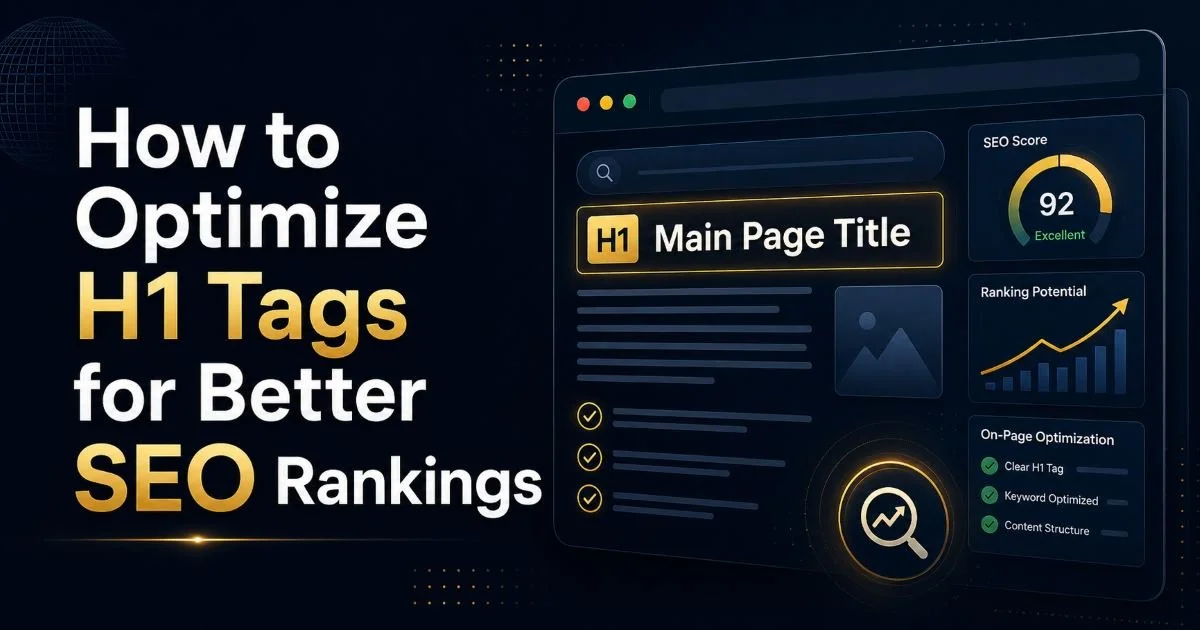
Learning how to optimize H1 tags for better SEO rankings is one of the most straightforward improvements you can make to any webpage. Yet a surprising number of content creators overlook this fundamental element, treating it as a simple title rather than a powerful ranking signal. Your H1 tag tells search engines what your page is about, shapes user expectations, and anchors your entire content hierarchy.
When done right, it works alongside your broader heading structure to create a page that both Google and readers can navigate with ease. For SEO beginners, the H1 might seem like a small detail compared to backlinks or technical audits.
But small details compound. A well-crafted H1 tag influences click-through rates, reduces bounce rates, and strengthens topical relevance. This guide walks you through four actionable steps to get your H1 tags right every time.
Key Takeaways
- Every page needs exactly one H1 tag that clearly describes the page's primary topic.
- Place your focus keyword near the beginning of your H1 for maximum SEO impact.
- Keep H1 tags between 20 and 70 characters to avoid truncation in search results.
- Your H1 should differ from your title tag to capture additional keyword variations.
- Use tools like Heading Checker to audit your pages for duplicate or missing H1 tags.
Step 1: Understand What H1 Tags Do and Why They Matter
The H1 tag is an HTML element that defines the main heading of a page. Think of it as the headline of a newspaper article. Visitors see it first, and search engines treat it as a strong indicator of what the page covers. Without a clear H1, both audiences are left guessing about your content's purpose.
H1 vs. Title Tag
Many beginners confuse the H1 with the title tag, but they serve different roles. The title tag appears in browser tabs and search engine results pages, while the H1 appears on the page itself. Google's John Mueller has stated that having the H1 and title tag match exactly is not required. In fact, using slightly different phrasing lets you target additional keyword variations and capture a wider range of search queries.
The distinction matters for on-page SEO because each element sends its own signal. Your title tag is optimized for the SERP snippet, while your H1 speaks directly to visitors who have already clicked through. A page with a compelling title tag draws the click; a strong H1 confirms the visitor made the right choice. That confirmation reduces bounce rates and increases time on page, both of which feed positive engagement signals back to search engines.
How Search Engines Read H1s
Search engines parse your HTML heading tags to build a topical map of your content. The H1 sits at the top of that map. When Googlebot encounters your H1, it uses the text to understand the page's primary subject, then looks at H2 and H3 tags to grasp the subtopics. A clear, descriptive H1 gives the crawler an immediate and accurate context signal that supports your entire page structure.
View your page's source code (Ctrl+U in Chrome) and search for "<h1" to quickly verify your H1 tag exists and contains the right text.
Step 2: Write H1 Tags That Match Search Intent
A technically perfect H1 means nothing if it does not align with what users actually want. Search intent, the reason behind a query, should drive every word in your heading. If someone searches "how to fix a leaky faucet," they expect a step-by-step guide, not a product listing. Your H1 needs to mirror that expectation. Conducting thorough keyword research before writing your H1 helps you understand the intent behind your target queries.
Study the top ten results for your focus keyword before writing your H1. Notice whether those pages use question-based headings, list formats, or direct statements. If nine out of ten top results use "How to" in their H1, that is a strong signal about what Google considers the right format for that query. Matching this pattern does not mean copying; it means respecting the proven format while adding your own specific angle or value proposition.
Keyword Placement in Your H1
Place your primary keyword as close to the beginning of the H1 as possible. Search engines give slightly more weight to words that appear early in heading elements. For example, "H1 Tag Optimization: A Complete Guide for Beginners" is stronger than "A Complete Guide for Beginners on H1 Tag Optimization." The first version front-loads the most important terms while still reading naturally for humans.
That said, readability should never be sacrificed for keyword placement. A forced, awkward H1 hurts user experience and can signal manipulation to Google. Write the heading for a human first, then adjust the word order to position the keyword earlier if possible. If it reads unnaturally, leave it where it flows best. Google is sophisticated enough to understand semantic variations, so a natural phrasing that includes your keyword in any position will still perform well.
"Write your H1 for a human first, then adjust the word order for search engines only if it still reads naturally."
Step 3: Optimize H1 Tags for Better SEO Rankings with Proper Hierarchy
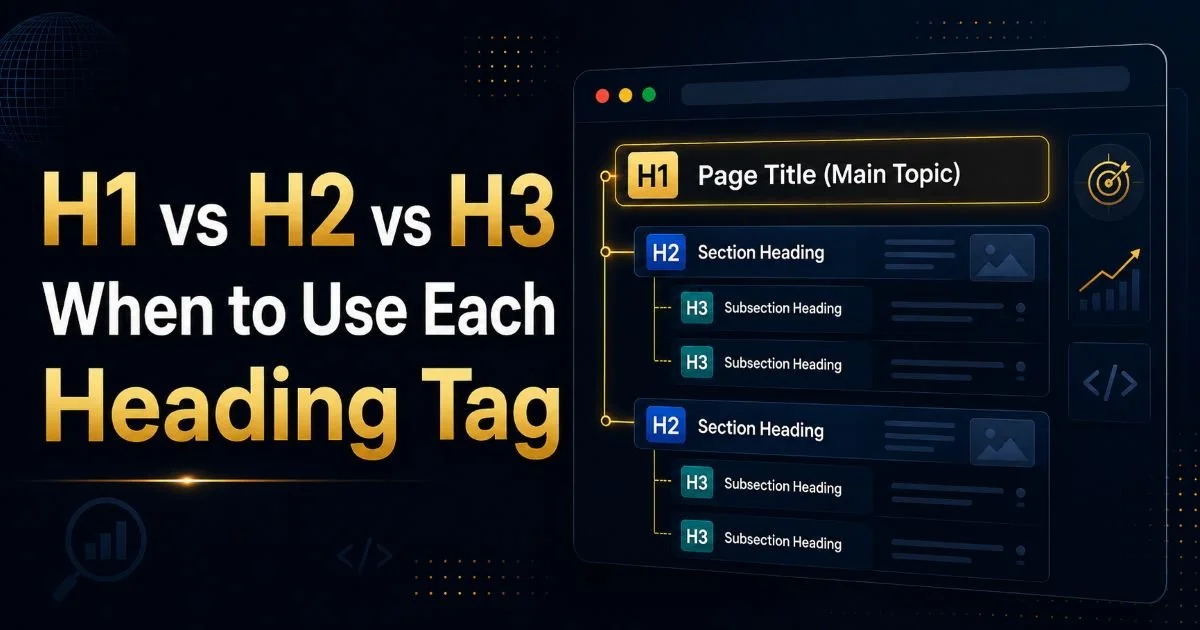
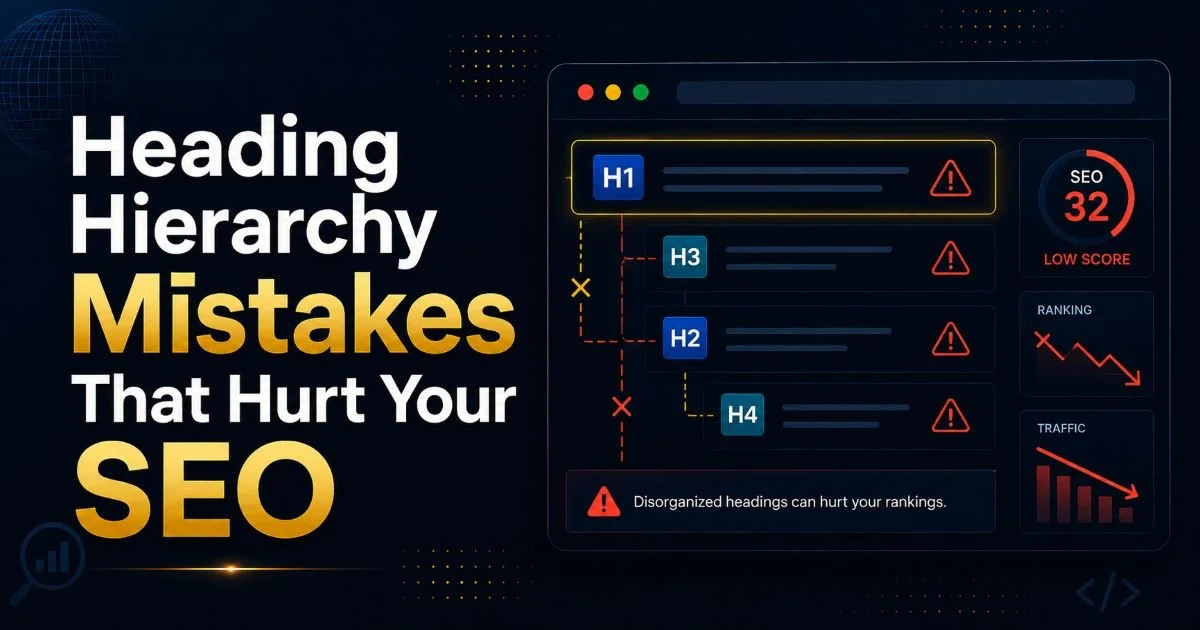
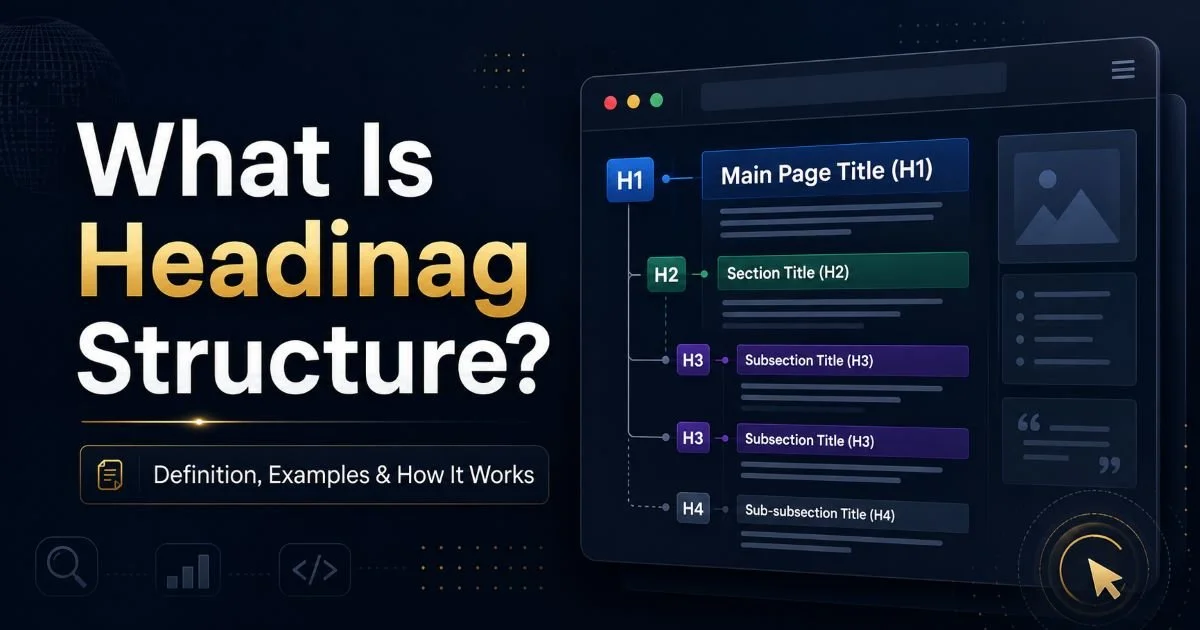
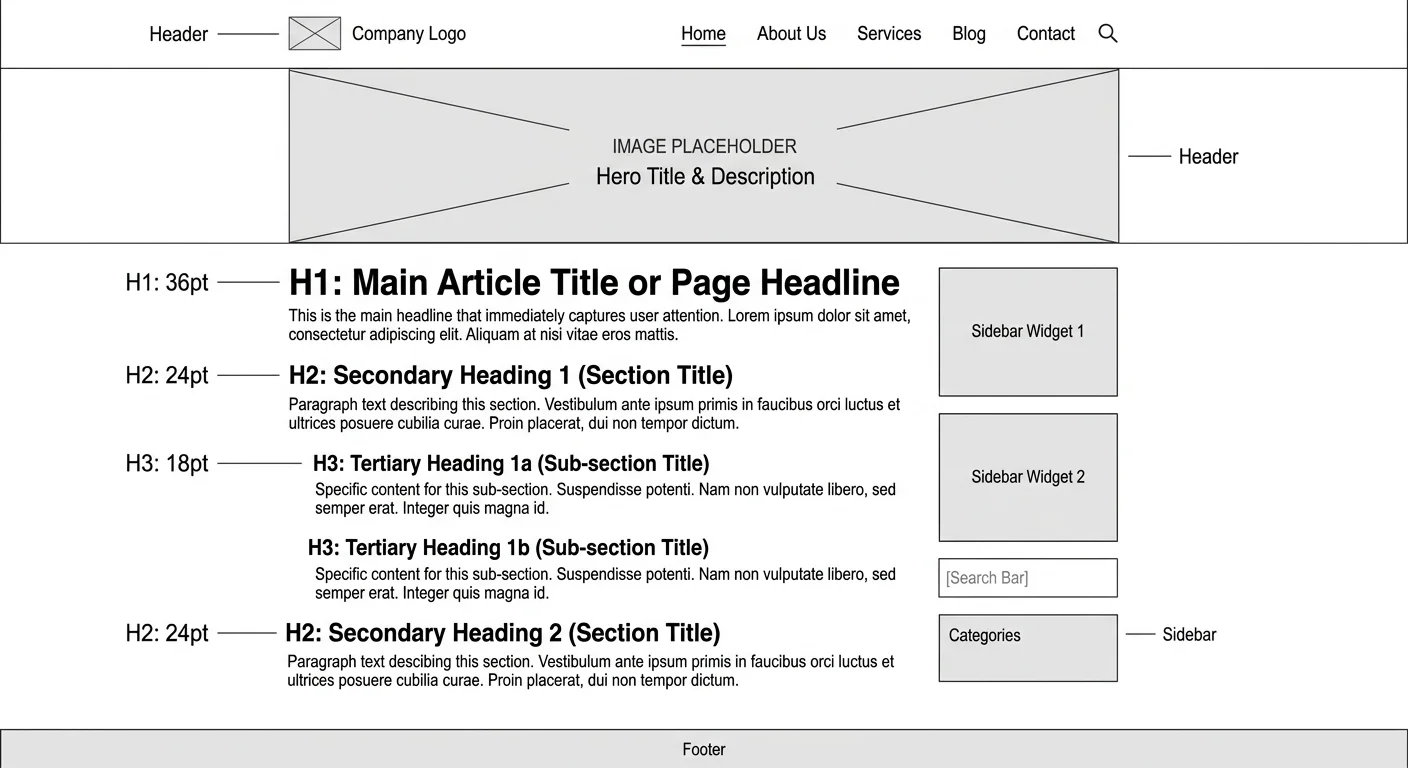
Your H1 does not exist in isolation. It is the top node of a heading hierarchy that structures your entire page. When you optimize H1 tags for better SEO rankings, you must also ensure the rest of your SEO headings follow a logical order. An H1 should be followed by H2s for major sections, and those H2s can contain H3s for subtopics. Skipping levels (going from H1 directly to H3) confuses both screen readers and search engine crawlers.
Building a Logical Heading Order
Think of your heading structure as an outline. The H1 is your thesis statement. Each H2 represents a main argument or section. H3 tags break those sections into specific points. This hierarchy helps search engines understand the relationship between different content blocks, which directly impacts how your page gets indexed and ranked for related queries. It also makes your content scannable for readers who scroll before they commit to reading.
| Heading Level | Purpose | Recommended Count | Character Length |
|---|---|---|---|
| H1 | Main page topic | 1 per page | 20 to 70 characters |
| H2 | Major sections | 3 to 8 per page | 30 to 60 characters |
| H3 | Subsections within H2 | 2 to 4 per H2 | 20 to 50 characters |
| H4 | Granular detail points | Use sparingly | 15 to 40 characters |
A common mistake is using heading tags for visual styling rather than structural purposes. Some content creators wrap text in H2 or H3 tags just because they want larger, bolder fonts. This practice corrupts your heading hierarchy and sends misleading signals to search engines. Use CSS for visual styling and reserve heading tags exclusively for content organization. Your page structure should make logical sense even if you stripped away all the styling.
WordPress and many CMS platforms automatically wrap your post title in an H1. Adding another H1 manually inside the content creates a duplicate, which can dilute your SEO signal.
Accessibility is another reason proper hierarchy matters. Screen readers rely on heading tags to help visually impaired users navigate content. If your headings skip levels or repeat unnecessarily, these users have a degraded experience. Google considers accessibility a ranking factor indirectly through Core Web Vitals and user experience metrics. Building a clean heading order benefits everyone who visits your page.
Step 4: Audit and Fix Common H1 Mistakes
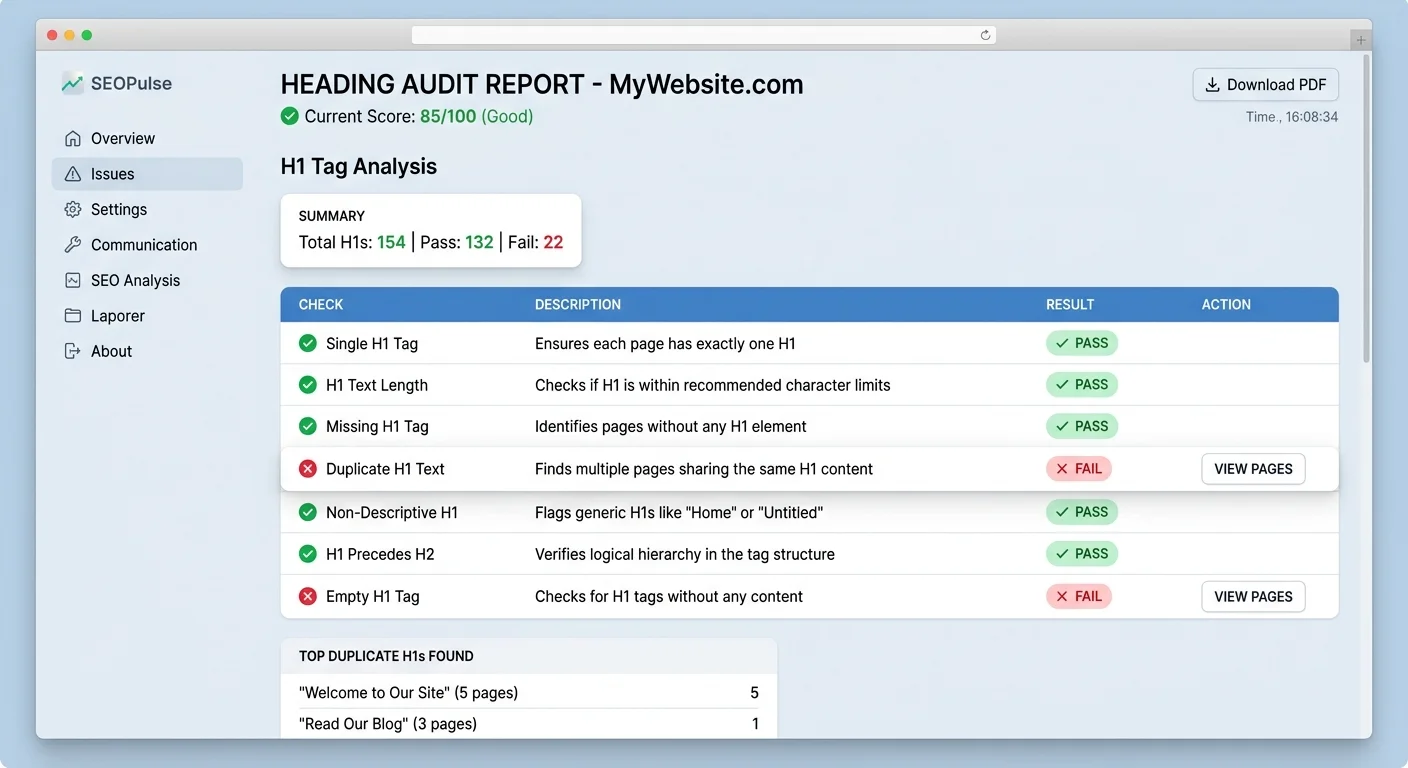
Even experienced content creators make H1 errors that silently undermine their rankings. The most common mistakes include having multiple H1 tags on a single page, missing H1 tags entirely, duplicating the same H1 across different pages, and writing H1s that are too long or too vague. Each of these issues weakens your page's ability to rank because it muddies the topical signal you send to search engines.
Tools for Heading Audits
Running a heading audit does not need to be complicated. You can use the Heading Checker tool to scan any page for H1 issues, heading order violations, and duplicate headings across your site. For broader SEO auditing, AI-powered SEO tools can analyze your heading optimization alongside other on-page factors like meta descriptions, internal linking, and keyword density. The goal is to catch problems before they impact your rankings.
When you find issues, prioritize them by impact. A missing H1 is more damaging than one that is slightly too long. Duplicate H1 tags across multiple pages cause keyword cannibalization, where your own pages compete against each other in search results. Fix duplicates by giving each page a unique H1 that reflects its specific angle. For pages with multiple H1 tags, decide which one best represents the content and demote the others to H2 or remove them entirely.
Schedule heading audits as part of your regular content maintenance routine. Every time you publish a new post or update an old one, verify that the H1 is present, unique, properly keyworded, and correctly positioned at the top of your heading hierarchy. This small habit prevents heading issues from accumulating over time. Consistent attention to your H1 tags is one of the most reliable ways to optimize H1 tags for better SEO rankings across your entire site.
Do not stuff your H1 with multiple keywords. Search engines can interpret this as spammy, which may result in lower rankings rather than higher ones.
Frequently Asked Questions
?How do I check if my page is missing or has duplicate H1 tags?
?Should my H1 tag and title tag be exactly the same?
?How long does it take to see ranking improvements after fixing H1 tags?
?Can using multiple H1 tags on one page hurt my SEO rankings?
Final Thoughts
The H1 tag is a small piece of HTML with outsized influence on your SEO performance. By understanding its role, matching search intent, maintaining a clean heading hierarchy, and auditing regularly, you can optimize H1 tags for better SEO rankings without any advanced technical skills.
Every page you publish deserves a thoughtful, keyword-rich, intent-aligned H1. Start with your highest-traffic pages, fix any existing issues, and build the habit of getting it right from the first draft forward.
Disclaimer: Portions of this content may have been generated using AI tools to enhance clarity and brevity. While reviewed by a human, independent verification is encouraged.