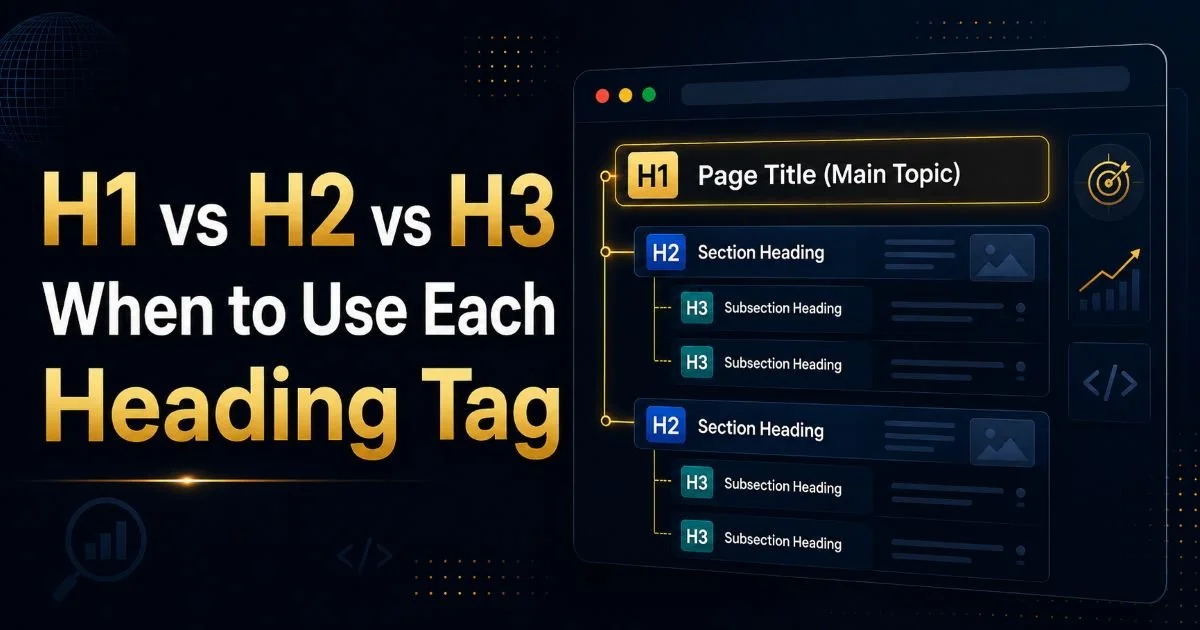
Heading hierarchy mistakes that hurt your SEO are more common than most people realize, and they silently drag down your rankings every single day. Whether you're publishing blog posts, landing pages, or product descriptions, the way you organize your headings sends direct signals to search engines about your content's structure and relevance.
Google's crawlers rely on heading tags to understand topical relationships within your page. When that hierarchy breaks down, crawlers struggle to parse your content accurately, and your visibility suffers. Many content creators treat headings as visual design choices rather than structural elements, which is a fundamental misunderstanding.
This guide walks you through the most damaging heading hierarchy mistakes and gives you concrete steps to fix each one. By the end, you'll know exactly how to audit and repair your heading structure for better on-page SEO performance.
Key Takeaways
- Skipping heading levels (like jumping from H1 to H3) confuses search engines and hurts crawlability.
- Using multiple H1 tags on a single page dilutes your primary keyword signal.
- Headings styled for appearance rather than structure break your SEO hierarchy silently.
- Duplicate heading text across pages creates indexing confusion for search engine crawlers.
- Running a heading audit with a dedicated tool catches mistakes manual reviews often miss.
Step 1: Stop Skipping Heading Levels
Why Sequential Order Matters
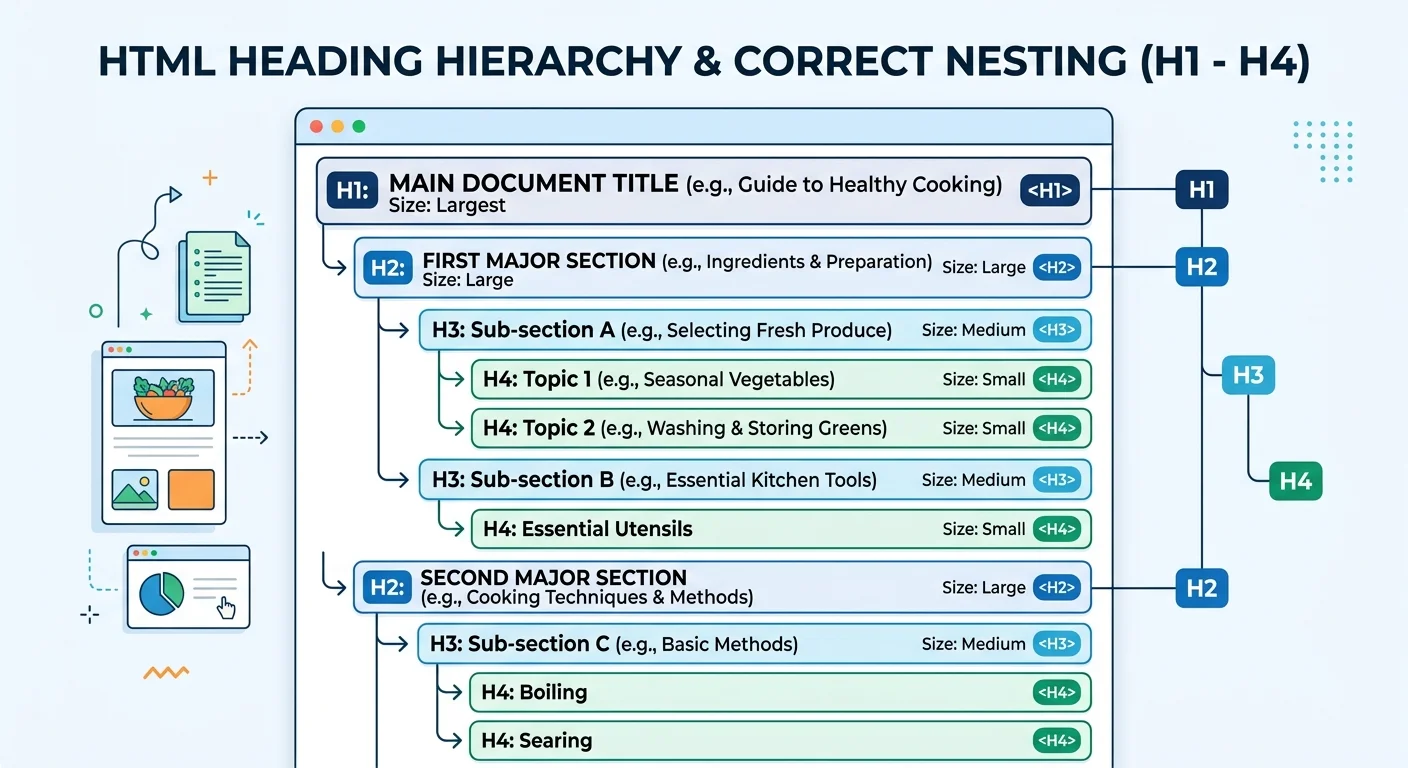
One of the most frequent heading hierarchy mistakes that hurt your SEO is skipping levels entirely. You'll see pages where an H1 jumps straight to an H3, completely bypassing H2. This isn't just a minor formatting issue. Search engines interpret heading levels as a nested outline of your content, so a missing level breaks that outline and makes your topical relationships unclear to crawlers.
Think of it like a book with chapters but no sections. If chapter titles jump from the main topic to a deeply nested subtopic, readers lose context. Google's algorithms work the same way. As explained in our guide on what heading structure is and how it works, a logical sequence from H1 to H2 to H3 creates a clear content map that both users and bots can follow.
How to Fix Skipped Levels
Start by viewing your page's source code or using the heading checker at headingchecker.dev to get a full hierarchy report. Look for any instance where an H3 appears without a preceding H2, or an H4 without a preceding H3. These gaps need to be filled. Either insert the missing heading level with appropriate text or demote the orphaned heading to the correct level.
A practical example: if your blog post has an H1 "Best Running Shoes for 2025" followed immediately by an H3 "Trail Running Picks," insert an H2 like "Running Shoe Categories" between them. This small change restores the logical flow. Understanding when to use each heading tag (H1 vs H2 vs H3) makes these decisions far easier in practice.
View your page in a browser's accessibility tree (Chrome DevTools > Accessibility tab) to instantly see your heading outline without any styling distractions.
Step 2: Fix Multiple H1 Tags on a Single Page
The One-H1 Rule
HTML5 technically allows multiple H1 tags within sectioning elements, but for SEO purposes, one H1 per page is the standard best practice. When you use multiple H1 tags, you split your primary keyword signal across competing headings. Google has stated that it can handle multiple H1s, but "can handle" and "optimal" are very different things. A single, clear H1 tells crawlers exactly what your page's main topic is.
Many WordPress themes and page builders inject extra H1 tags through widgets, headers, or footer elements. Site logos wrapped in H1 tags are a classic offender. You might have a perfectly crafted H1 in your content area while your theme quietly adds a second one in the site header. This is one of the heading hierarchy mistakes that hurt your SEO without any visible symptom on the frontend.
Some popular WordPress themes wrap the site title in an H1 tag on every page. Check your theme's header.php or use a heading audit tool to catch this.
Auditing Your H1 Usage
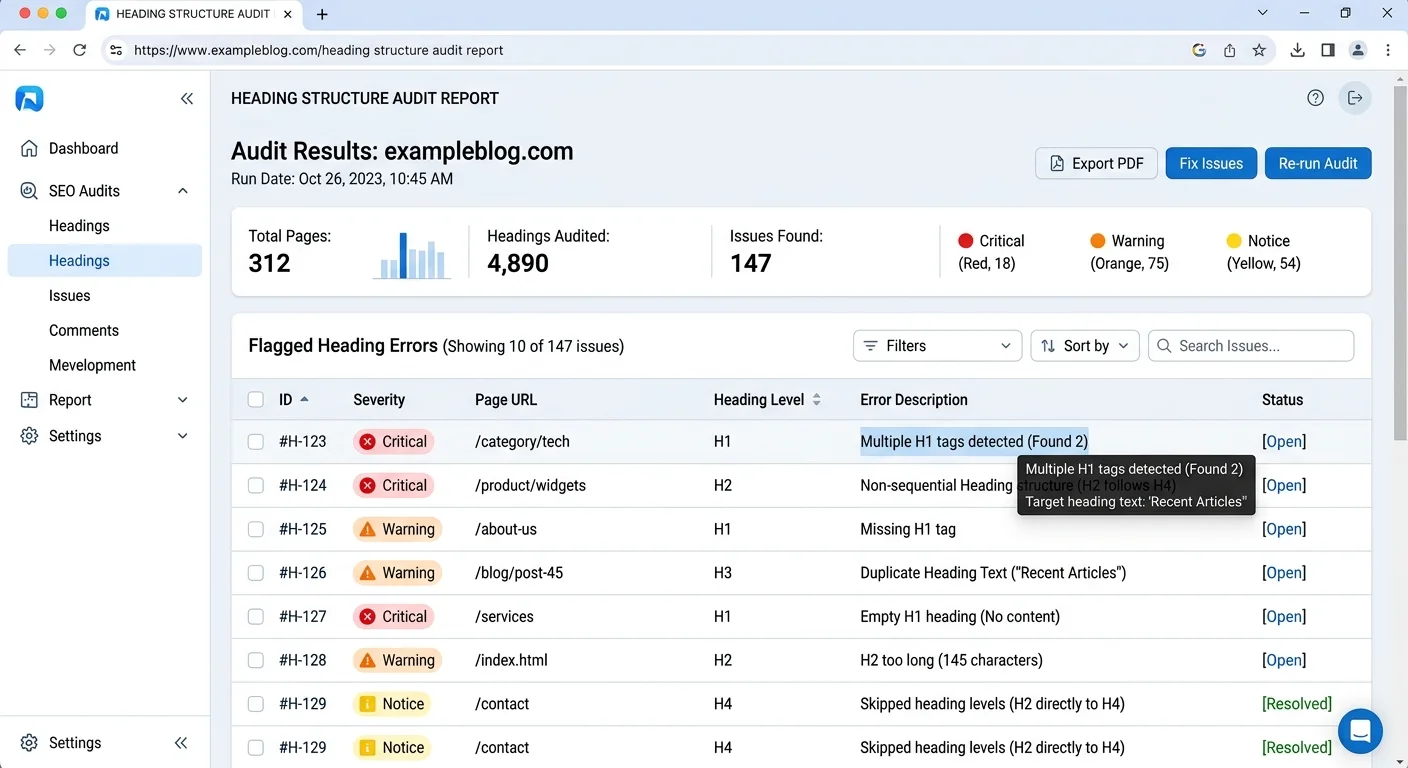
Run a site-wide crawl to find pages with zero H1 tags or multiple H1 tags. Pages with no H1 are equally problematic because they give crawlers no primary heading signal at all. Tools at headingchecker.dev can scan individual pages and flag these issues instantly. For large sites, a crawling tool that checks every URL at scale will save you significant time.
When you find duplicate H1s, decide which one represents the page's core topic and keep that one. Convert all others to H2 or remove them entirely. If the duplicate comes from a theme element, override it in CSS or modify the template to output an appropriate tag instead. This single fix often produces measurable ranking improvements within weeks, particularly for pages targeting competitive keywords.
Step 3: Recognize Heading Hierarchy Mistakes That Hurt Your SEO Page Structure
Style vs. Structure
This is where many content creators go wrong: they choose heading tags based on how the text looks rather than what it means structurally. Someone wants a larger font, so they wrap a paragraph intro in an H2. Someone else wants smaller bold text, so they use an H4 for a callout. These decisions destroy your page structure because every heading tag carries semantic weight that search engines interpret as topical hierarchy.
The fix is straightforward. Use CSS classes for visual styling and reserve heading tags for actual section headings. If you want text to look like an H2 but it doesn't represent a new content section, style it with a class like .large-text instead. This separation of presentation from structure is fundamental to clean SEO headings. Poor UX decisions like these compound over time; as noted in this analysis of UX mistakes costing companies growth, small structural errors accumulate into significant performance problems.
Screen readers rely on heading tags for navigation. Using them purely for styling also creates accessibility barriers for users with disabilities.
The Duplicate Headings Problem
Duplicate heading text across multiple pages creates indexing confusion. If ten blog posts all have an H2 that reads "Key Benefits," Google sees repetitive structural signals that dilute the uniqueness of each page. Every heading should be descriptive and specific to the content it introduces. Instead of "Key Benefits," write "Key Benefits of Interval Training for Beginners." Specificity helps crawlers and users alike.
On-page SEO optimization depends heavily on unique, keyword-rich headings that match search intent. When your headings are generic, you miss opportunities to rank for long-tail queries. Review SEO heading structure tips for blog posts for concrete formulas you can apply to every piece of content you publish. Technical SEO foundations matter too; even something like TLS certificate errors can hurt your SEO alongside structural heading problems.
"Every heading tag is a promise to both users and search engines about what content follows. Break that promise, and both will leave."
| Mistake | SEO Impact | Correct Practice |
|---|---|---|
| Skipping from H1 to H3 | Broken content outline for crawlers | Always follow sequential order: H1 > H2 > H3 |
| Multiple H1 tags | Diluted primary keyword signal | Use exactly one H1 per page |
| Styling text with heading tags | False structural signals | Use CSS classes for visual styling |
| Generic duplicate headings | Reduced page uniqueness | Write specific, descriptive headings |
| No headings at all | Zero structural context for bots | Add headings every 200 to 300 words |
| Keyword stuffing in headings | Potential over-optimization penalty | Include keywords naturally, once per heading |
Step 4: Audit and Maintain Your Heading Structure Over Time
Manual vs. Automated Audits
Manual heading reviews work for small sites, but they fall apart at scale. When you have hundreds of pages, checking each one by hand is impractical and error-prone. Automated heading checkers parse your DOM and instantly flag skipped levels, missing H1 tags, duplicate headings, and other structural issues. They also catch problems that hide in dynamic content, pop-ups, and injected widgets that manual reviewers often overlook.
The best approach combines both methods. Use an automated tool for the initial scan and periodic monitoring, then manually review flagged pages to make judgment calls about heading text quality. Understanding how headings improve on-page SEO and crawlability gives you the context needed to evaluate whether a heading is merely technically correct or genuinely helpful for both ranking and user experience.
Building a Heading Checklist
Create a pre-publish checklist that every piece of content must pass before going live. Include items like: one H1 per page, sequential heading order with no skipped levels, no heading tags used for styling, unique heading text on every section, and primary keyword present in the H1. This checklist becomes especially valuable when multiple writers contribute to a site, because it standardizes heading practices across the entire team.
Set a recurring monthly audit for your top-performing pages. Content management systems, theme updates, and plugin changes can silently alter your heading structure. A page that passed every check six months ago might have a broken hierarchy today because a theme update wrapped a sidebar widget in an H2 tag. Consistent monitoring protects the SEO gains you've already earned and catches new heading hierarchy mistakes before they hurt your rankings.
Add a heading structure check to your content brief template so writers build correct hierarchy from the first draft, not as an afterthought during editing.
Frequently Asked Questions
?How do I fix an H1 jumping straight to an H3 in my post?
?Does using a heading checker tool beat doing a manual review?
?How long does fixing heading hierarchy mistakes actually take?
?Won't styling text to look like a heading work just as well?
Final Thoughts
Heading hierarchy mistakes that hurt your SEO are fixable, and most fixes take only minutes per page. The four steps above give you a complete framework: stop skipping levels, enforce one H1, separate styling from structure, and audit regularly.
Clean heading structure isn't glamorous work, but it compounds over time into significantly better crawlability and rankings. Start with your highest-traffic pages, fix the worst offenders first, and build heading discipline into your content workflow from this point forward.
Disclaimer: Portions of this content may have been generated using AI tools to enhance clarity and brevity. While reviewed by a human, independent verification is encouraged.